How to Program Your Garage Door Remote: A Guide by Klington Overhead Door
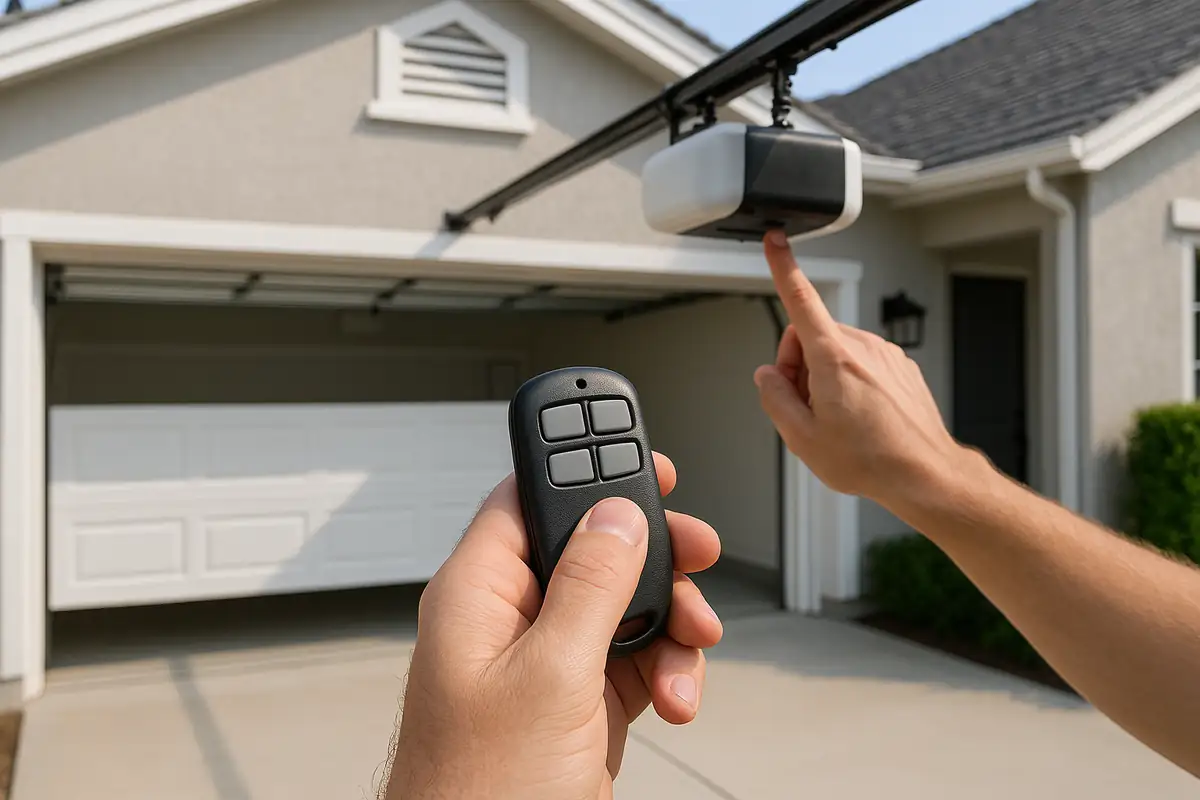
Understanding Your Garage Door Remote
Programming your garage door remote can be a straightforward task, yet it often feels intimidating. Whether you're moving into a new home in Jackson Township, NJ, or simply need to reprogram your remote, this guide from Klington Overhead Door is here to help. By understanding your remote's features and following our step-by-step instructions, you can regain control of your garage door with ease.
Why You May Need to Program Your Garage Door Remote
There are several reasons you might find yourself needing to program your garage door remote:
- New Garage Door Opener: If you've recently installed a new garage door opener, you'll need to program your remote to sync with the new system.
- Lost or Broken Remote: If your remote has been lost or damaged, programming a new one is essential for access.
- Changing Access Codes: For security reasons, it's a good practice to change your garage door codes periodically.
- Interference Issues: Sometimes, other electronic devices can interfere, necessitating a reset and reprogramming of your remote.
Tools You Will Need
Before starting the programming process, gather the following tools:
- Your garage door remote
- The garage door opener model number (found on the unit itself)
- A ladder (if your garage door opener is installed high)
- Basic screwdriver (in case you need to access the opener's panel)
Step-by-Step Guide to Programming Your Garage Door Remote
Follow these informative steps to program your garage door remote effectively:
Step 1: Locate the Learn Button
The first step in programming your garage door remote is to locate the "Learn" button on your garage door opener. This button is usually found on the back or side of the unit and may be labeled. You may need to remove the cover of the unit using a screwdriver.
Step 2: Prepare Your Remote
Make sure your remote has fresh batteries. Replace old batteries to ensure that your remote functions properly during the programming process.
Step 3: Press the Learn Button
Press and release the Learn button. You'll usually see a light on the opener blink or stay on, indicating that the system is in programming mode.
Step 4: Program the Remote
Within 30 seconds of pressing the Learn button, press and hold the button on your remote that you wish to program. Hold it until you hear a click sound from the garage door opener, indicating it has accepted the remote. Release the button.
Step 5: Test the Remote
Now, test your remote by pressing the button. The garage door should open or close. If it doesn’t work, repeat the above steps.
Common Garage Door Remote Problems and Solutions
Even after following these steps, you may encounter issues. Here are some common problems and solutions:
- Remote Not Responding: Ensure that the remote has new batteries and is within range of the garage door opener.
- Garage Door Opens Unexpectedly: This may indicate a faulty remote or interference from nearby devices. Reprogramming may help.
- Multiple Remotes Not Working: Check if the opener’s memory is full and clear it if necessary.
Safety Precautions
When programming your garage door remote, it’s crucial to consider safety:
- Ensure there are no obstructions near the door.
- Do not stand under the garage door while programming.
- Always use high-quality batteries to prevent remote malfunction.
Statistics on Garage Door Security
Did you know that approximately 30% of unauthorized access into homes is due to garage door vulnerabilities? Regularly programming and changing your remote codes can significantly enhance your home’s security. A recent study indicated that homes with automated garage door systems reported 50% fewer break-ins.
Conclusion
Programming your garage door remote is a simple process that can save you time and frustration. By following Klington Overhead Door's comprehensive guide, you’ll ensure that your garage operates smoothly and securely. If you have trouble or prefer a professional touch, don't hesitate to contact Klington Overhead Door for expert garage door repair services in Jackson Township, NJ. Let us help you keep your garage door functioning safely and efficiently!
Call to Action
Ready to take control of your garage door? Contact Klington Overhead Door today for assistance with programming, repairs, or any garage door needs you may have. We’re here to help!
Explore More Resources
Related Articles
Service Areas
We proudly serve Jackson Township, Harmony, Hyson, Edgewood Park, Vista Center and more areas.
Our Services
Professional garage door repair, spring repair, opener installation and more. View all services →